Showing posts with label Linux Fedora Tips and Tricks. Show all posts

Monday, November 23, 2009

How To Install 7zip in Fedora

1 comments
If you are looking for a free file archiving software, well 7zip would be the answer. 7-Zip is open source software. Most of the source code is under the GNU LGPL license.


7Zip  is better than winrar, winzip etc. If you are looking to install this peace of software in your fedora machine, the easiest way is to do a yum install. Here is the code that you need to use.

How To Install 7zip in Fedora

1. Open up the Terminal

2. Login as root
enter the command su -
It will now prompt you for the password. Type root password and hit enter.

3. Type the following code
yum install p7zip

The package will be installed for you.
Read full story

Wednesday, September 30, 2009

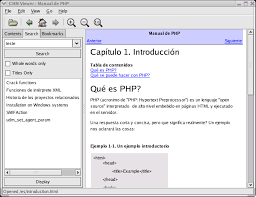
Chm reader for Linux Fedora

0 comments
Most of the tutorials and e-books are in CHM format. CHM is the file extension for Microsoft Compiled HTML Help file. Was developed by Microsoft and first released in 1997.
As this file format is compatible with Windows, Linux platform requires a special chm viewer. Although there are many viewers available GnoCHM works really nice with Fedora.

How To Install
- Login as the root
- Type yum install gnochm

That's it!


Read full story

Wednesday, May 6, 2009

How To Install SeaMonkey on Linux Fedora 9

1 comments
To install SeaMonkey on you machine (Linux Fedora 9) please follow these simple steps.

  1. Open up the Terminal
  2. Switch to the root (You can switch to the root by typing the command su - and then entering the root password)
  3. After switching to root, type the following command. yum install seamonkey

SeaMonkey
is a new project by Mozilla which is a suite composed of

Browser ("Navigator") + Mail & Newsgroups + HTML Composer + IRC Chat ("ChatZilla")

Read full story

Tuesday, April 28, 2009

.NET Framework on Linux

0 comments
Can we develop C# applications in Linux? Answer is YES. To build and compile C# Applications we need the .NET Framework. .NET Framework is intended for Windows Operating Systems. Not for Linux.

However a solution is put forth by Mono. Mono is a cross platform, open source .NET development framework. Download mono here.

If you are a Linux Fedora 9 user read this post to know how to install mono on your machine.
How to install mono on fedora 9


Read full story

How To Install Mono on Fedora 9

2 comments
Install MonoDevelop on Fedora 9

Just open up the Terminal (Applicatios > System Tools > Terminal) and type
yum -y install monodevelop* mono-*

It will take around 30 minutes to install. Now you are ready to build C# programs in Linux Fedora 9. Enjoy!
Read full story